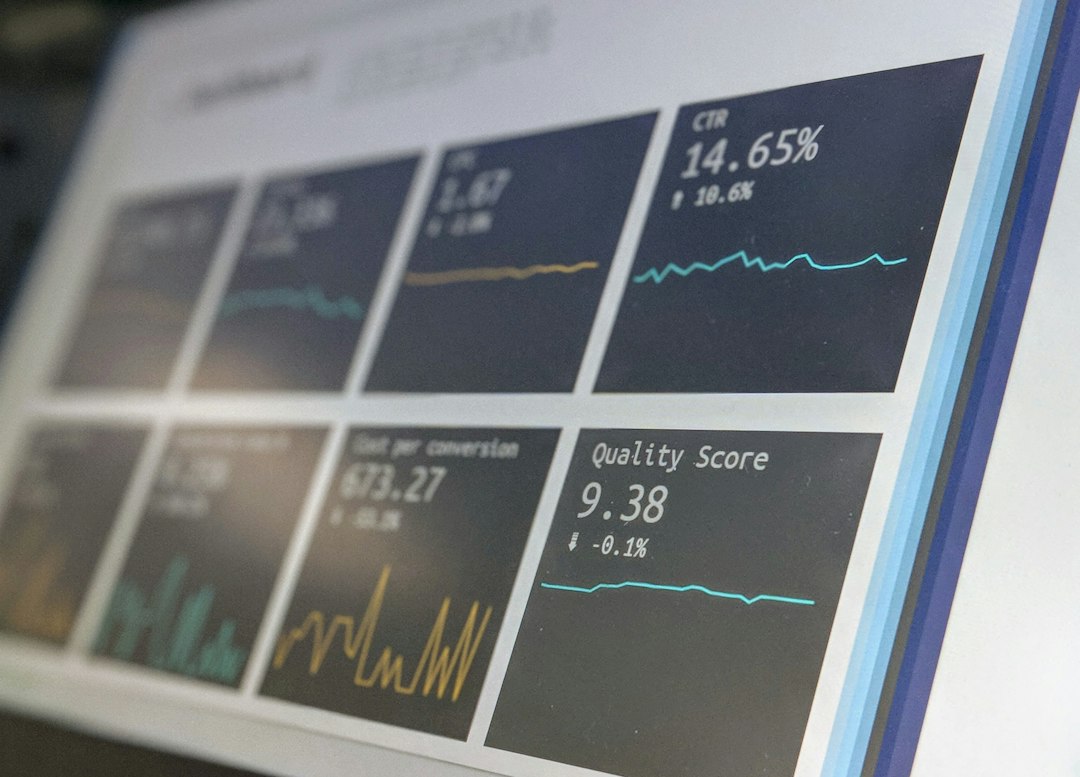
What to Look for in a Social Media Scheduler (And Why Most Fall Short)
A social media scheduler is a tool that plans, queues, and auto-publishes your content across multiple platforms from one dashboard, replacing the tedious ritual of logging into each app at every posting time. For creators managing four, five, or even seven active channels simultaneously, that constant context-switching between native apps isn't just annoying, it's a measurable productivity drain that chips away at the time you should be spending on actual content creation.
The problem is that most tools stop at publishing. They'll queue your posts, fire them off on schedule, and hand you a basic reach report. Then they leave you to open Instagram separately for DMs, TikTok for comments, and YouTube for community replies. According to TechnologyAdvice's review of top schedulers and a broader comparison at Sintra.ai, the gap between scheduling-only tools and full creator workflow platforms is growing fast. Creators in Reddit's social media management community echo this frustration regularly, describing how they expected a scheduler to centralise their workflow but ended up with just one fewer tab out of ten.
The category has moved forward. AI-powered platforms now bundle scheduling with inbox management, voice-matched reply drafting, and content vaults. That's a fundamentally different product from a queue-and-post tool, and the evaluation criteria are different too. If you're exploring what modern AI tools can do for your creator workflow, our roundup of AI Tools for Content Creators 2026 gives useful context before you start comparing schedulers.
This guide gives you the evaluation criteria, the red flags to watch for, a concrete checklist to save and use, and answers to the questions creators ask most often. By the end, you'll know exactly what to look for and what to walk away from.
8 Criteria That Separate Great Social Media Schedulers from Mediocre Ones
The most-reviewed schedulers in 2026 share a common problem: they're built for marketers scheduling brand content, not for individual creators managing real audience relationships. Here are the eight criteria that actually matter when you're evaluating a scheduler for your specific workflow.
1. Platform coverage
Start here, because everything else is irrelevant if the tool doesn't support the platforms you actually use. A scheduler that covers fewer than six major networks forces you to maintain parallel workflows, which defeats the entire point of centralisation. Check support for Instagram, TikTok, YouTube, X, Facebook, LinkedIn, Pinterest, and any emerging platform you're planning to grow on in the next year.
2. Voice consistency
This one matters more than most buyers realise before they've spent a month using the wrong tool. If a scheduler drafts or suggests captions without any awareness of your established tone, those suggestions either go unused (wasted feature) or get published (brand damage). A great scheduler either lets you train its AI on your existing content or gives you enough control to adjust suggestions until they sound like you, not a generic marketing template.
3. Approval workflows
Non-negotiable for any creator who works with an editor, brand partner, or virtual assistant. Without an approval layer, a single incorrect login or a miscommunication can publish unreviewed content to your entire audience instantly. Look for draft-to-approval states that don't require every collaborator to hold a paid seat, because that hidden seat cost adds up fast on smaller teams.
4. Multilingual support
This is commercially underserved in ways that directly hurt creators. With over 485 million native Spanish speakers worldwide, the global Spanish-speaking creator market is enormous, yet most scheduling tools offer English-only interfaces and English-only caption suggestions. If any part of your audience or your team operates in Spanish, an English-only scheduler introduces workarounds, translation delays, and errors. The Sintra.ai scheduler comparison highlights how few tools address this meaningfully.
5. Unified inbox integration
This is the dividing line between a publishing tool and a full creator workflow platform. DM management and fan replies aren't separate from your content strategy; they're part of the same loop. A scheduler that pushes your posts but leaves your inbox scattered across native apps hasn't actually centralised your workflow. Ask specifically whether the scheduler includes a unified inbox, which platforms it covers, and whether replies can be drafted or managed from inside the same dashboard.
6. Content ratio support (the 5-3-1 rule)
The 5-3-1 rule (5 curated posts, 3 original posts, 1 promotional post per publishing cycle) is a well-established framework for building audience trust before asking for action. Maintaining it manually is tedious. A scheduler with content categorisation and queue-type logic makes this automatic. Without it, you're tracking ratios in a spreadsheet, which is exactly what you're paying the scheduler to eliminate. RecurPost is one example of a tool that makes queue categories a first-class feature.
7. Analytics depth
Post-level reach and impressions are table stakes. What you actually need is engagement rate broken down by content type and platform, best-time-to-post recommendations based on your real audience data, and cross-platform performance comparisons that help you decide where to invest more effort. If a scheduler's analytics can't answer "which content type performs best on which platform for my account," it's not giving you strategy-grade data.
8. Pricing transparency
Clear pricing, with no hidden per-seat fees or per-platform add-ons, tells you whether a tool is designed to grow with you or to trap you in a feature upgrade cycle. Read the pricing page carefully. If you have to contact sales to understand what you'll pay, that's a process cost in itself. The MePersona team publishes tiered pricing starting from a free plan, which is the kind of transparency worth looking for when you're evaluating any scheduler.
As a baseline reference, widely used scheduling tools often cover platform breadth and basic analytics reasonably well but tend to fall short on voice-matched reply drafting and unified DM inbox functionality, which is why so many creators outgrow entry-level schedulers within their first year. Per Reddit discussions among social media managers, the complaints are remarkably consistent: good for posting, not enough for everything else.
5 Red Flags That Mean a Scheduler Will Slow You Down, Not Speed You Up
Choosing badly doesn't just cost you money. It costs you the hours you thought you were saving. Here's what to watch for before you commit.
No inbox or DM management
If a scheduler has no inbox management, you'll still open every native app individually to handle fan replies. That completely negates the time saved on scheduling. This frustration surfaces repeatedly in Reddit threads from social media managers who expected a scheduler to be a one-stop solution and found themselves with a nice posting queue but the same inbox chaos. If engagement is part of your growth strategy (and it should be), a scheduler without inbox access is solving only half your problem.
English-only interface and AI suggestions
A single-language interface actively locks out Spanish-speaking creators and brand managers. It's not just inconvenient; it introduces real workflow risk. When your caption suggestions come in English but your audience primarily engages in Spanish, you're either doing manual translation inside a tool that doesn't support it or publishing content that doesn't connect. Either way, you're paying for a feature you can't fully use.
Flat-rate bulk pricing with no per-platform toggle
If a scheduler charges you for every network regardless of whether you actively post to it, you're subsidising features you don't use. This is most common in enterprise-tier pricing that wasn't designed for individual creators or small creator teams. Look for pricing that lets you pay for what you actually need, as noted in TechnologyAdvice's scheduler breakdown.
No approval or draft-review layer
For any creator who collaborates with a team, the absence of an approval workflow is a serious risk. It means that anyone with login access can publish content immediately, with no review step. One mistimed post or incorrect caption can cause genuine audience damage, especially for creators in brand partnerships where content approval is contractually required.
Generic, template-based auto-replies
Auto-reply features that send the same template response to every fan DM don't just fail to help. They actively damage creator-audience relationships. Audiences expect independent creators to feel personal and authentic. A scheduler that fires off "Thanks for your message! Check out our latest post!" to every DM signals automation immediately, and that signal erodes exactly the trust that makes fan relationships valuable in the first place.
The 12-Point Social Media Scheduler Checklist (Save This Before You Sign Up)
Work through this before you enter a credit card number. Each point is something you can verify during a free trial or a demo call.
-
[ ] Platform coverage: Confirm the scheduler supports every platform you currently post to, plus at least two you plan to expand to in the next 12 months. Don't assume; check the integrations page explicitly.
-
[ ] Voice-matching capability: Test whether the tool's caption suggestion or AI drafting feature can be adjusted to match your existing content voice. Paste in three of your best-performing posts and see what it generates. If it sounds like a press release, that's your answer.
-
[ ] Approval workflow without paid-seat requirements: Verify that a draft-review workflow exists and that it functions without requiring every approver to hold their own paid seat.
-
[ ] Unified inbox access: Check whether the scheduler includes a consolidated inbox for DMs and comments, and whether it covers the platforms where your most engaged audience actually lives.
-
[ ] Multilingual support: Confirm the interface and any AI suggestions are available in every language your team or audience uses. English and Spanish are the minimum for most global creators.
-
[ ] Engagement-rate analytics: Review the analytics to confirm you can see engagement rate (not just impressions) broken down by post type and platform.
-
[ ] Best-time-to-post recommendations: Test the recommendation engine by posting in its suggested windows and tracking whether your engagement measurably improves. A good tool should be calibrating to your specific audience, not global averages.
-
[ ] Content ratio or queue-type support: Check whether the tool supports content categorisation so you can maintain a posting rhythm like the 5-3-1 rule without manual tracking. Tools like RecurPost show what proper queue categorisation looks like in practice.
-
[ ] Transparent pricing: Review the pricing page carefully for per-platform charges, per-seat fees, and what happens to your scheduled content if you downgrade or cancel. If you can't understand the pricing without contacting sales, that's a red flag.
-
[ ] Content vault or library feature: Look for a Smart Vault or evergreen content library that stores your best posts for recycling without requiring manual re-entry each time.
-
[ ] Campaign automation or Marketing Agent: Check whether the platform offers a coordinated campaign feature for managing multi-post sequences around launches, events, or brand deals, not just individual scheduled posts.
-
[ ] Genuine free plan or trial: Confirm whether the tool offers a free plan with real feature access, not just a 7-day countdown clock. You need enough time to run your actual workflow through the tool before committing. Explore MePersona's free plan to see what genuine tiered access looks like as a benchmark.
According to TechnologyAdvice's scheduler comparison, the tools most worth evaluating are the ones that pass at least 10 of these 12 points without requiring an enterprise upgrade to do so.
Sign Up to see how MePersona handles each of these criteria inside a single creator dashboard.
Social Media Scheduler FAQ
What does a social media scheduler do?
A social media scheduler lets you plan and queue posts in advance, then publishes them automatically at the times you choose, across multiple platforms from a single dashboard. Instead of logging into Instagram, TikTok, YouTube, and X separately every day, you batch your content once and let the scheduler handle distribution. Advanced tools also include analytics, inbox management, and AI-assisted caption drafting. The TechnologyAdvice scheduler guide covers how these features vary across mainstream tools in 2026.
What is the 5-3-1 rule for social media?
The 5-3-1 rule is a content balance framework: for every 9 posts, 5 should be curated content from other sources that's relevant to your audience, 3 should be your own original content, and 1 should be a direct promotional or sales-oriented post. This ratio builds credibility and trust before you ask your audience to act. A scheduler with content categorisation and queue-type logic makes maintaining this ratio automatic rather than something you manually track cycle by cycle. The Sintra.ai scheduler comparison includes tools that support this kind of structured queue logic.
Which is the best social media scheduler?
There's no single best social media scheduler for everyone. The right choice depends on your platform mix, team size, language needs, and whether you need features beyond publishing, like DM inbox management or voice-matched AI replies. Creators managing four or more platforms who also need fan engagement tools should look beyond basic schedulers to full creator workflow platforms that include inbox, vault, and persona-matching capabilities. Our MePersona blog covers how to evaluate these platforms against your specific workflow.
Is there a free social media scheduler?
Yes, several tools offer free plans. Free plans are a legitimate starting point, but most cap you at around 3 social profiles and 10 scheduled posts per month, constraints that multi-platform creators often exceed within the first week of use. If you need DM management, multilingual support, or AI voice-matching alongside scheduling, you'll need to evaluate paid tiers or a platform built for creator-scale workflows. The value question isn't free versus paid; it's whether the tool's full feature set saves enough time and engagement to justify its cost. Check MePersona's pricing tiers to see how a full creator platform structures its plans from free upward.
Ready to put this checklist to work? Start For Free and see how MePersona meets every criterion above, from unified inbox management to voice-matched AI replies, across 9+ platforms in both English and Spanish.
Leave a Reply